Telegram Session/TData Manual Generator
Overview
Telegram session files and TData folders are widely used by many tools. This utility helps you generate Session/TData files from your Telegram client accounts.
Prerequisites
Before using the tool, make sure:
- You have a valid UUID access code provided by the administrator.
- Your phone can receive Telegram verification codes.
- You know your 2FA password if two-step verification is enabled.
- You have a Telegram client installed to receive the code.
Steps
Step 1: Open the website
- Visit
https://tdata.miha.ukin your browser. - Enter the UUID access code on the homepage.
- Click the "Start" button.
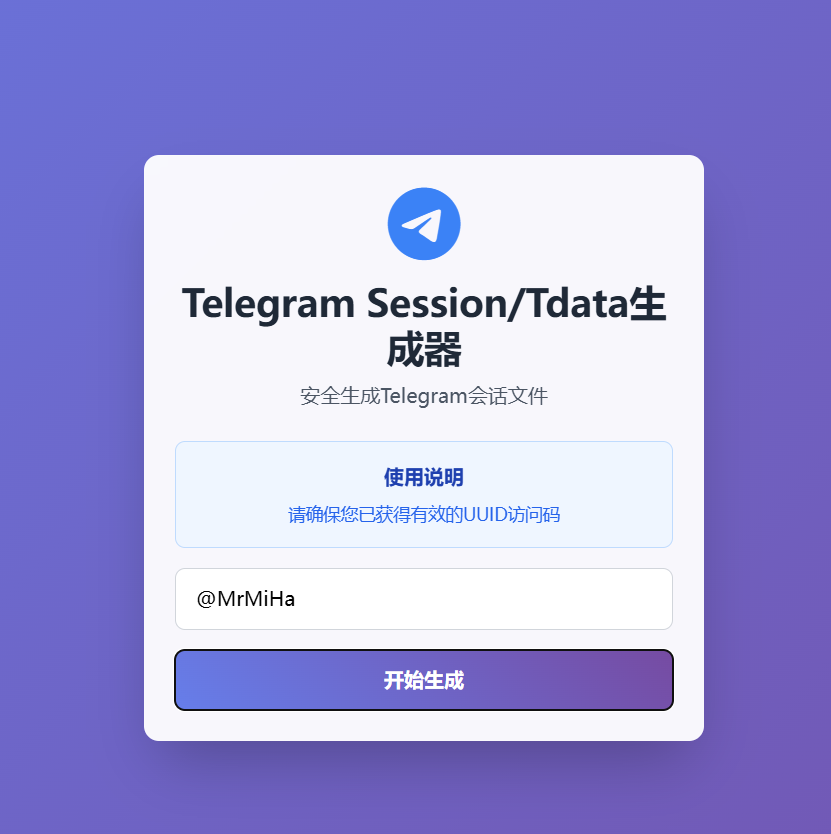
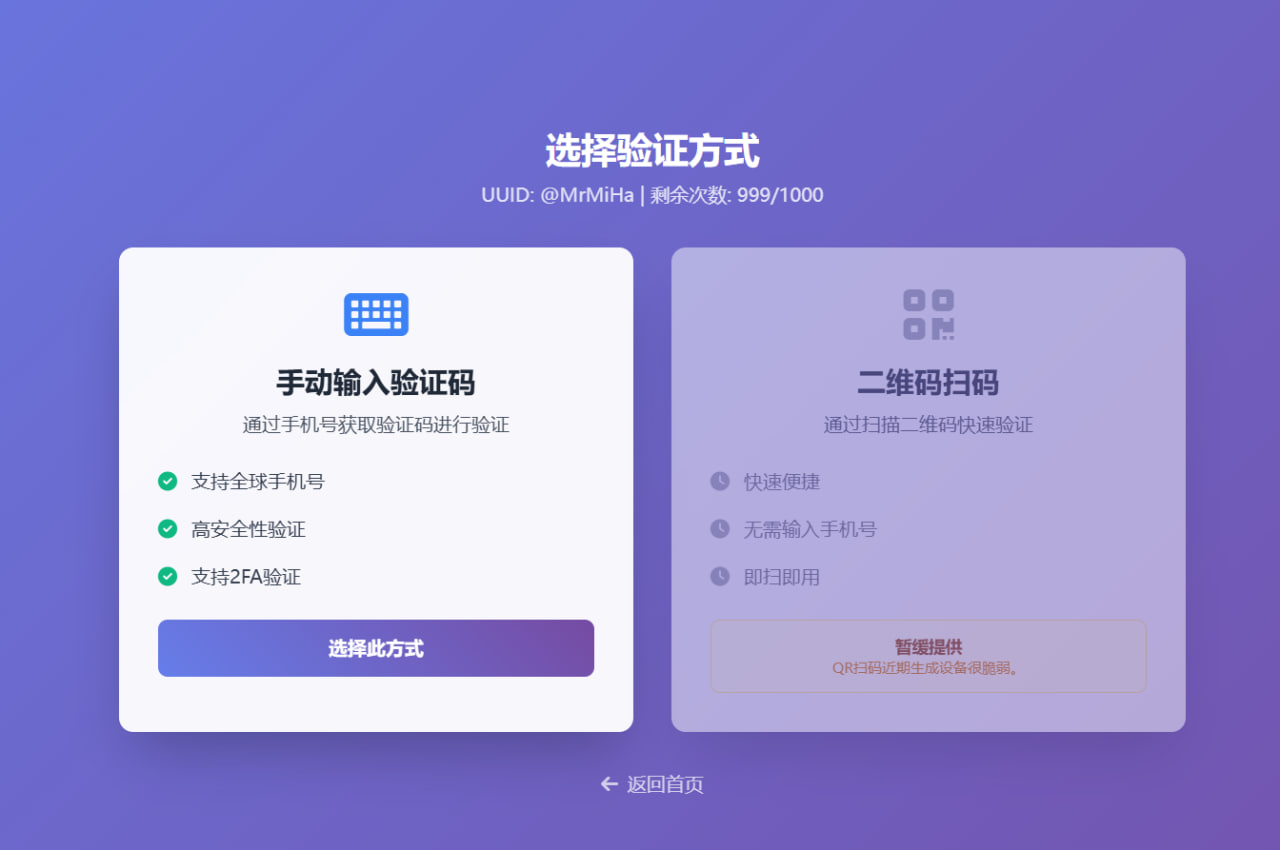
Step 2: Choose verification method
Currently supports manual code input:
- Manual verification via SMS/code message
- Supports international phone numbers
- Secure verification
- Supports 2FA
Step 3: Enter phone number
- Enter phone number with country code (e.g. +86 138 0000 0000).
- Make sure the number is registered on Telegram and can receive codes.
- Click "Create Device".

Step 4: Wait for the code
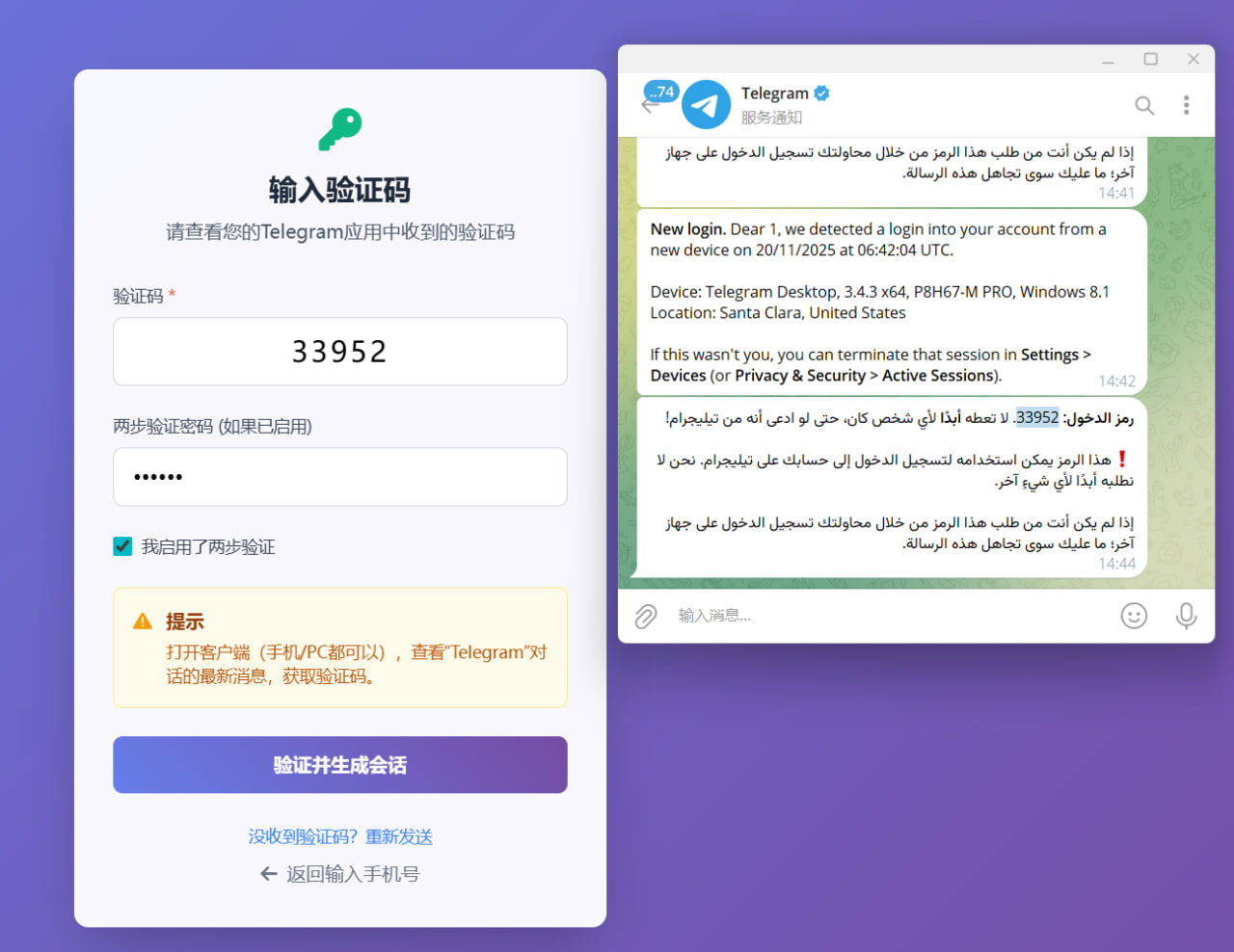
The system will send a verification code to your Telegram official messages. Open your client and copy the code.
Step 5: Input verification code
- Enter the 5-6 digit code in the input box.
- If 2FA is enabled, check "I use two-step verification" and enter your 2FA password.
- Click "Verify and generate session".
Step 6: Wait for generation
Generation usually takes 1–3 minutes. The page shows progress steps: verification, connecting to Telegram, generating Session, generating TData, packaging for download.
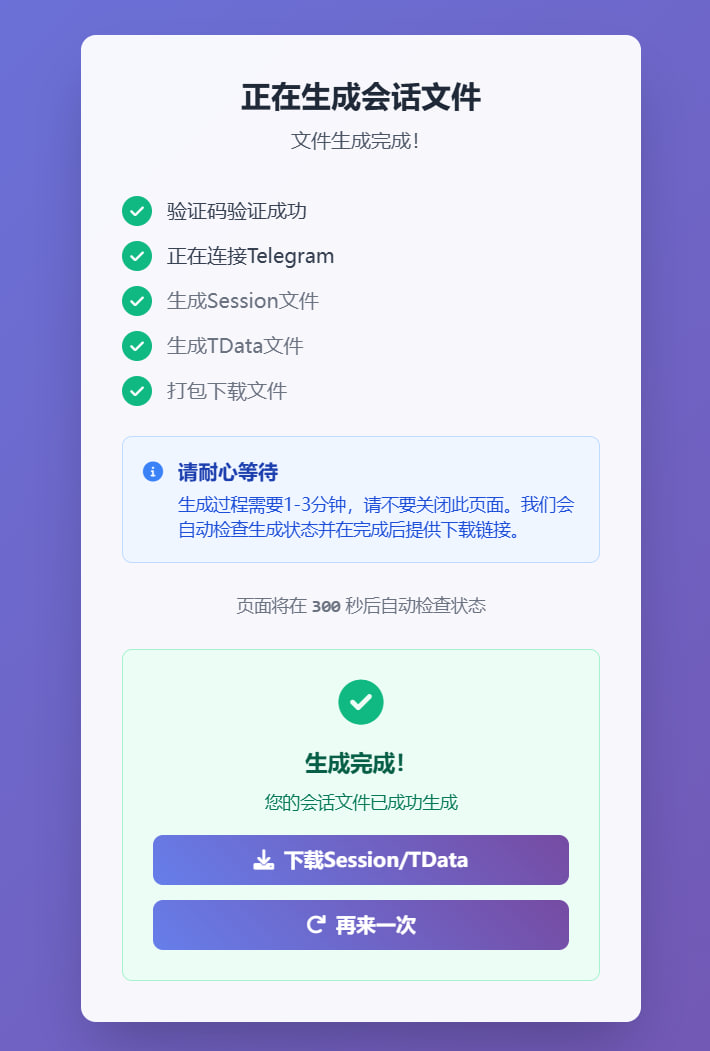
Step 7: Download
When finished click the "Download Session/TData" button to get the archive.
Generated files
- Session files (for Telethon and other Python libraries)
- TData folder (for Telegram Desktop)
- JSON config containing account info
Security notes
- Keep your session files safe — they are equivalent to login credentials.
- Do not share them with others.
- Consider regenerating periodically.
Limitations
- UUID usage may be limited by number of uses.
- Each verification code is single-use.
- Stable network is required during generation.
Troubleshooting
Q: Didn't receive the code?
A: Check your Telegram official messages. Try again later.
Q: Forgot 2FA password?
A: Reset it from Telegram client or contact Telegram support.
Support
If issues persist, check network and input data, or contact the site administrator.